Sell
Win customers among verified businesses.


SELYVO Market
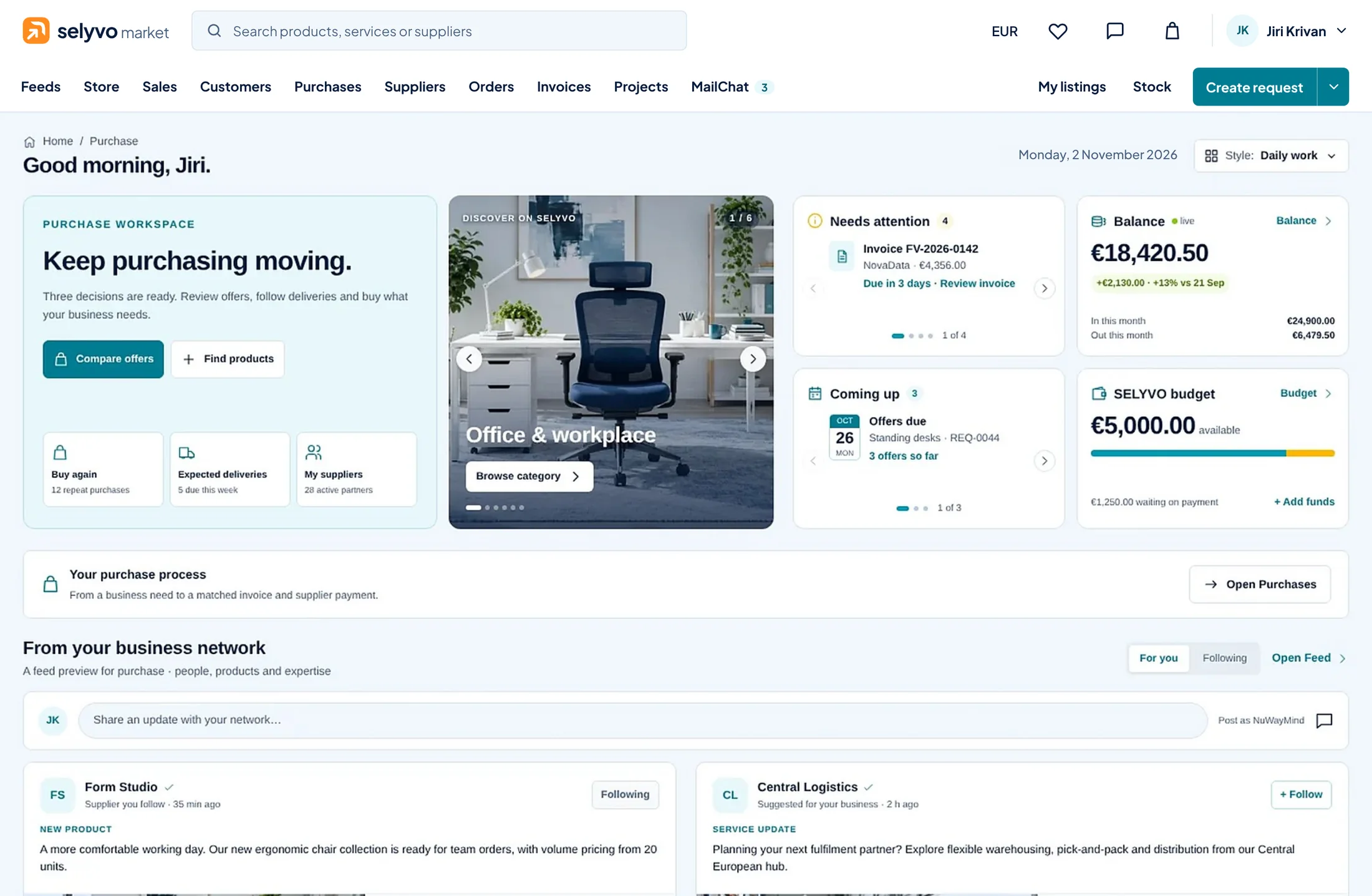
One market for all of it — with verified businesses only.
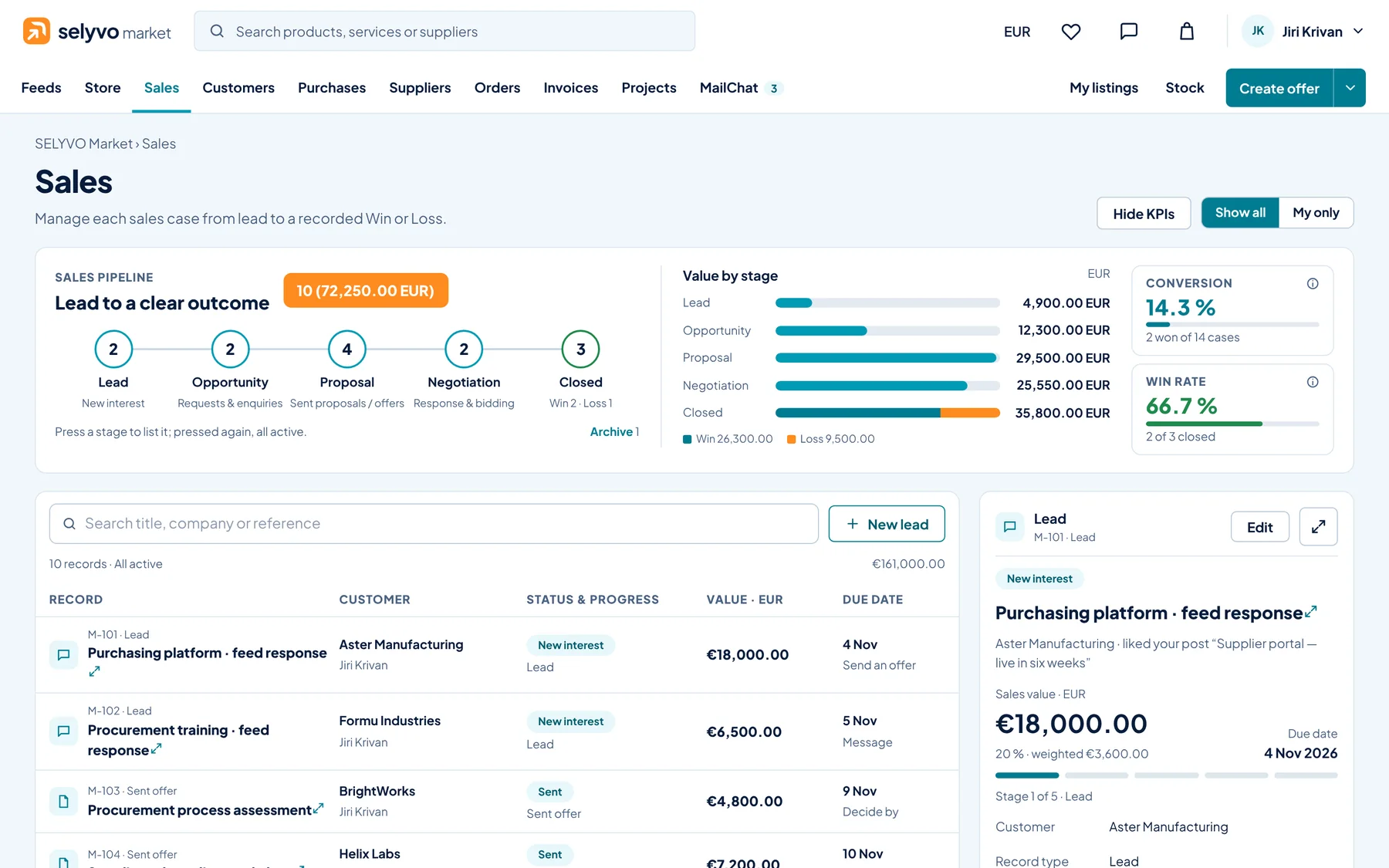
Win customers among verified businesses.
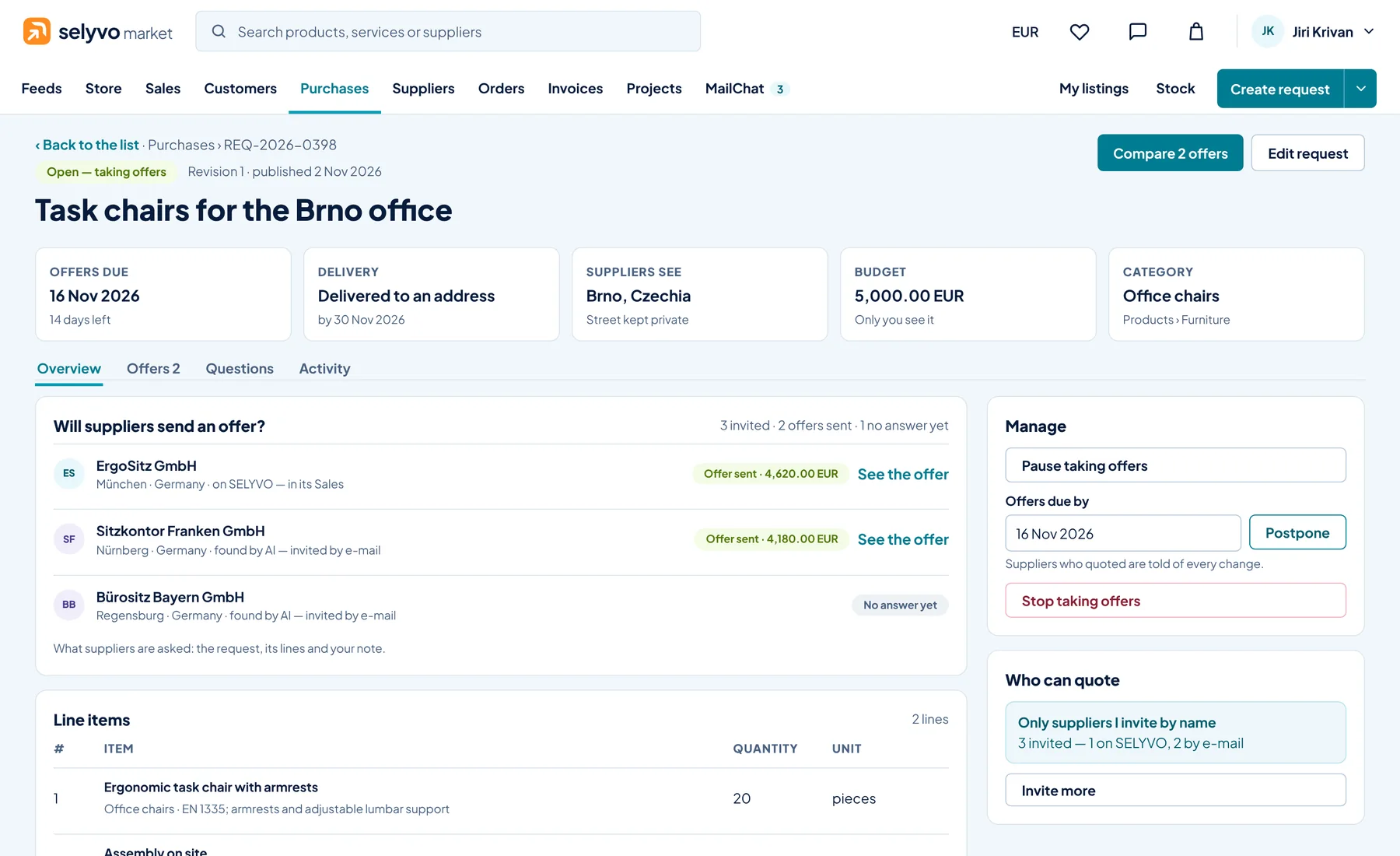
The right offer, from suppliers you can trust.
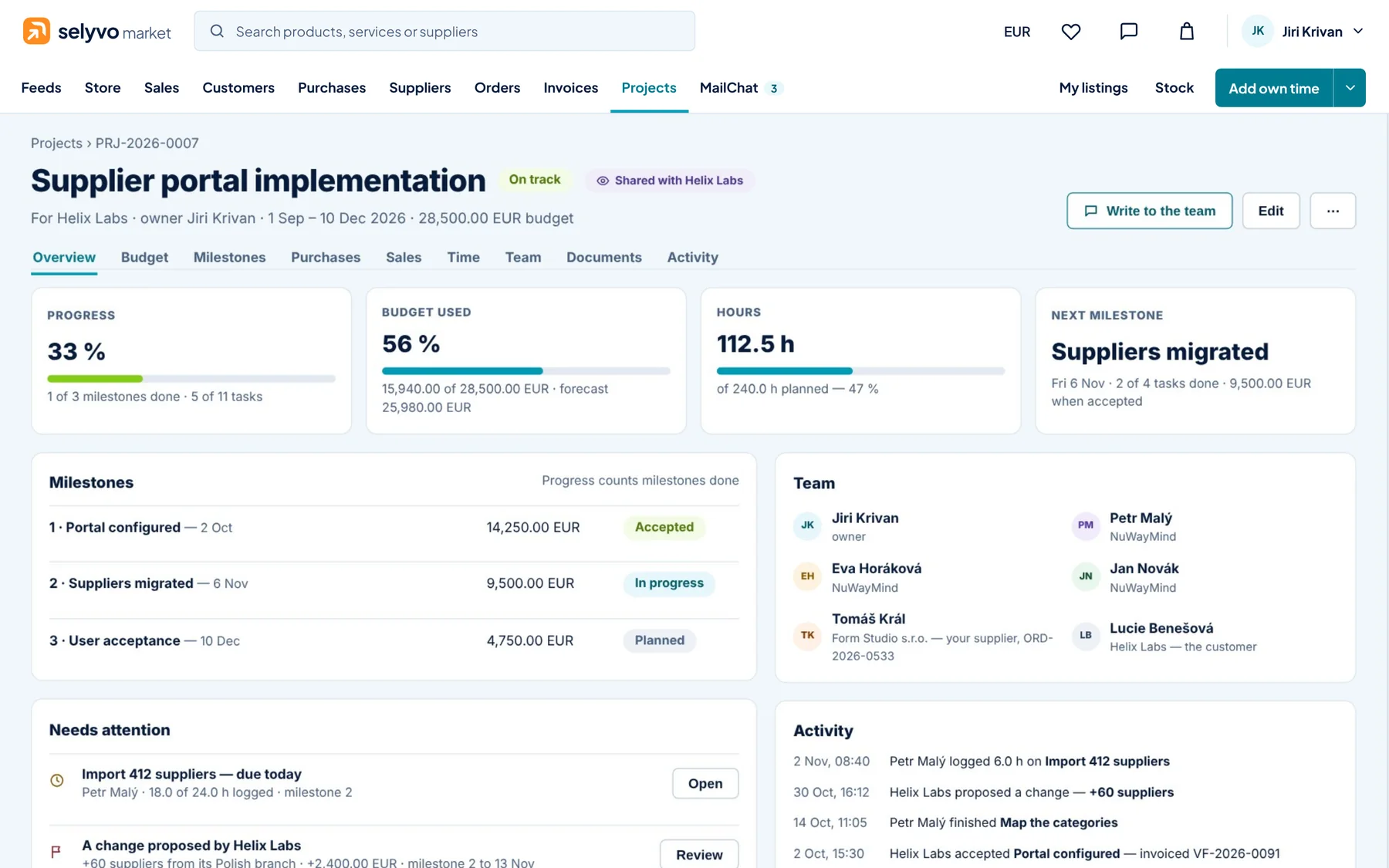
Deliver the work. Keep the budget in sight.
Invoice, check and get paid — with less work.
How it works
Seven steps, one record. Follow a purchase through SELYVO Market — on its real screens.
Scroll to follow it step by step
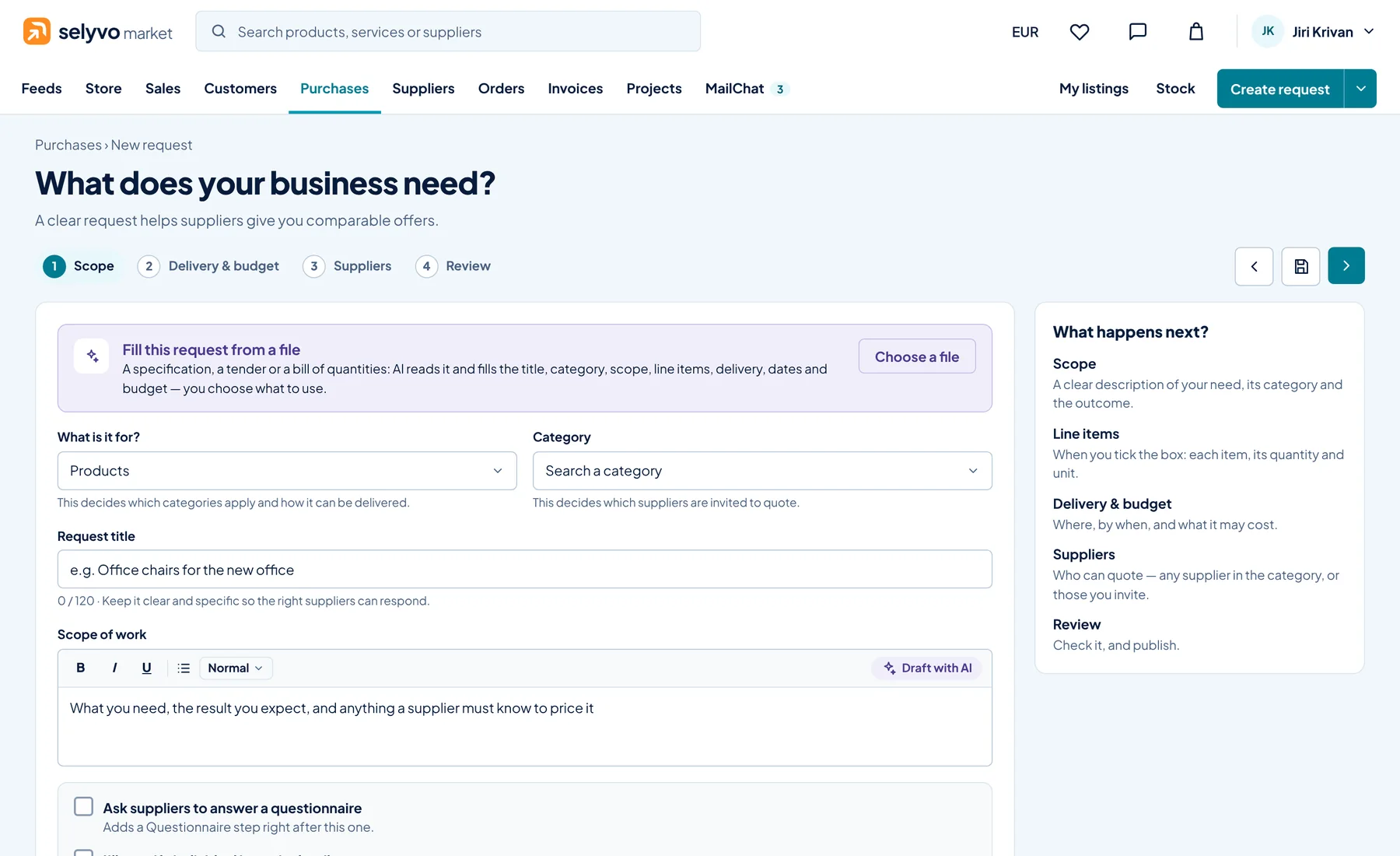
Describe what you need, or drop a specification, a tender or a bill of quantities: AI fills in the title, the category, the lines, the delivery and the budget — you choose what to keep.
Good to know A request can ask suppliers to answer a questionnaire first.
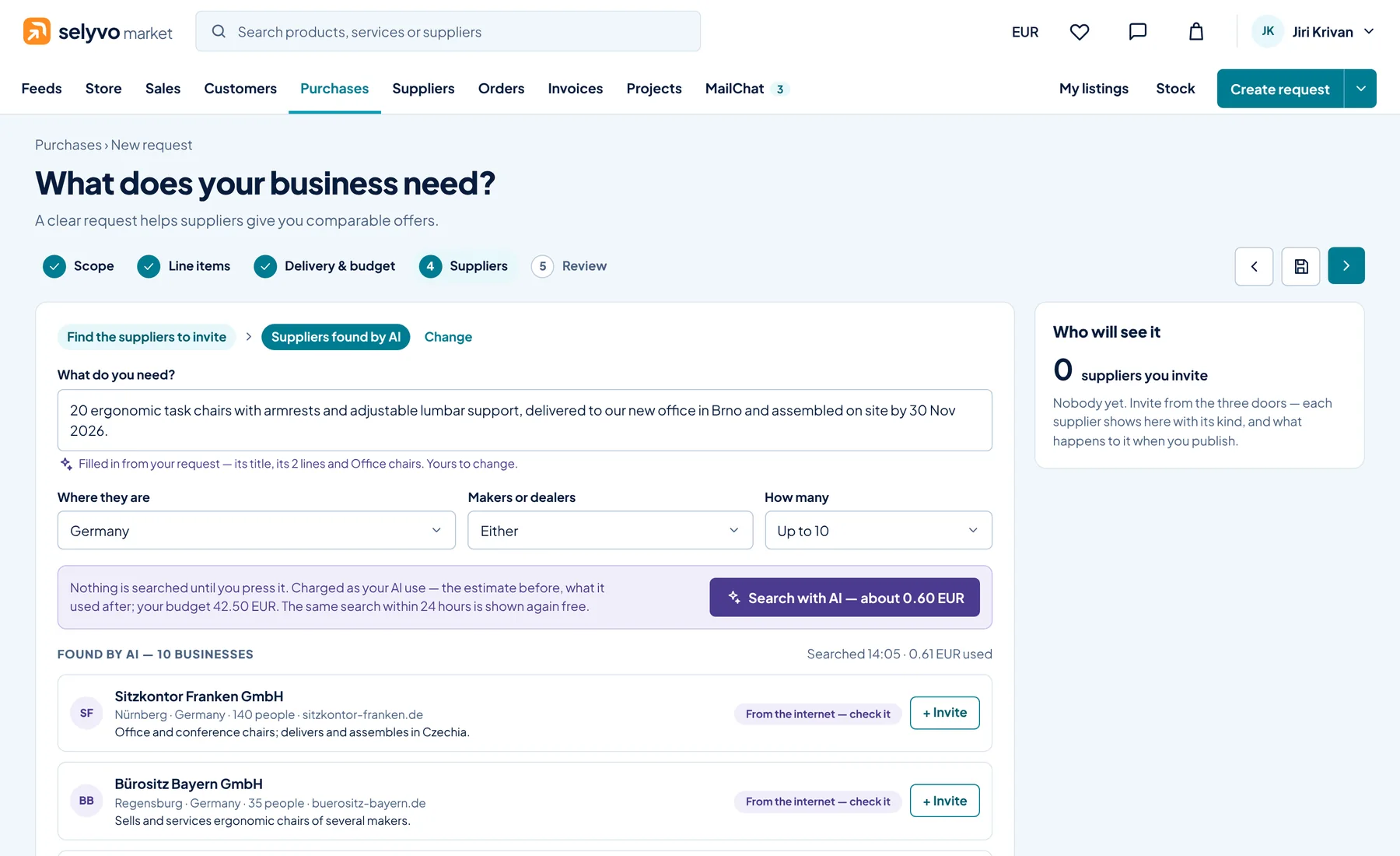
Invite your own suppliers, businesses already on SELYVO, or let AI find more — each with its rating, its categories and where it delivers.
Good to know Before AI searches, the button says what it will cost: about 0.60 EUR.
Each supplier answers on SELYVO. You see who will send an offer, compare the offers line by line, and choose the best.
Good to know Suppliers found by AI are invited by e-mail and can join SELYVO to send their offer.
The offer you accept becomes the purchase order. The supplier accepts it, and both sides follow one status: open, to receive, received, invoiced, paid.
Good to know Each supplier decides how it is paid: up front by card, or by invoice after delivery.
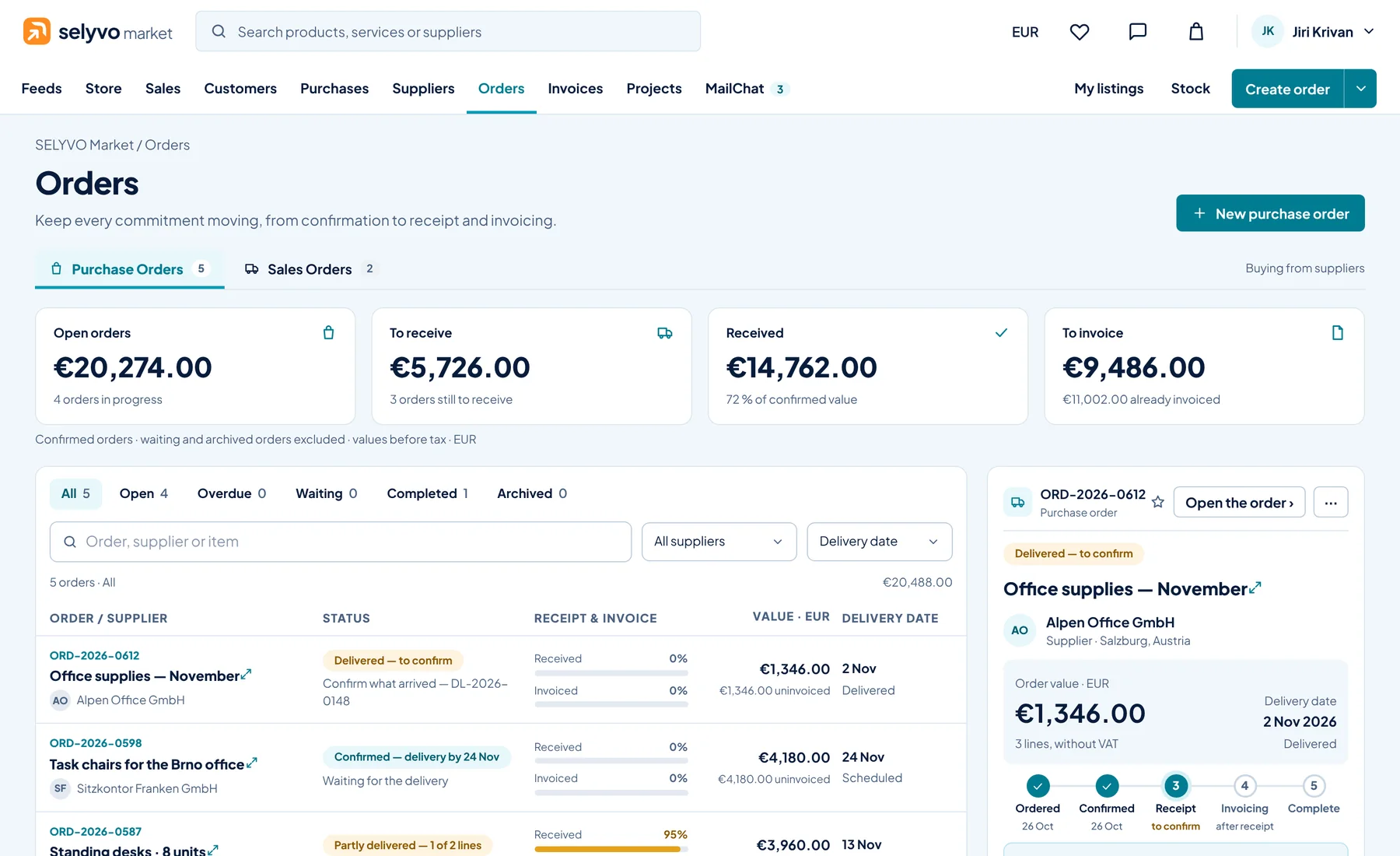
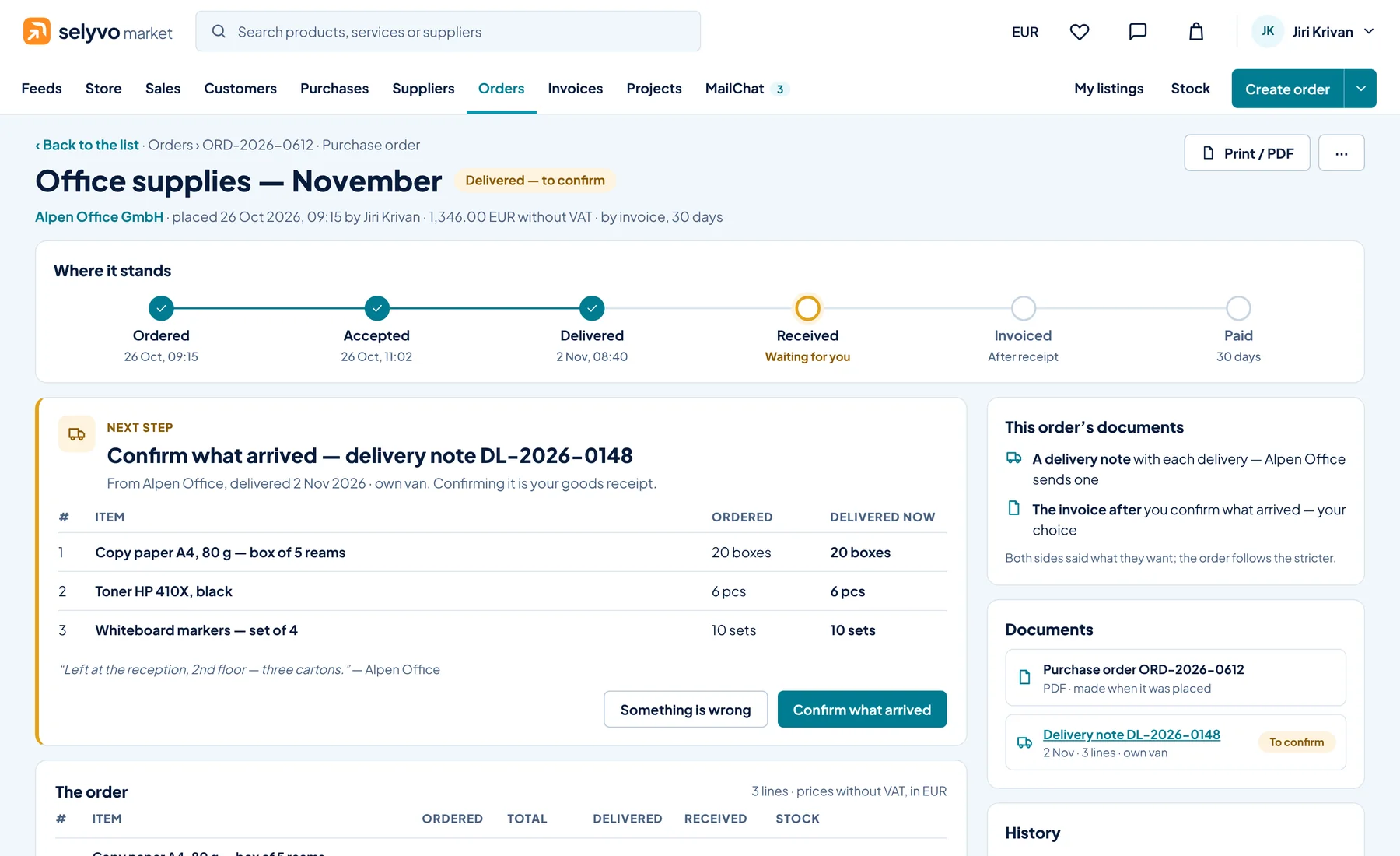
A delivery note arrives with the goods. You confirm what arrived — in full or in part — and the order moves on by itself; goods you keep in stock add themselves.
Good to know Something wrong? Say so on the delivery note, and the supplier is told at once.
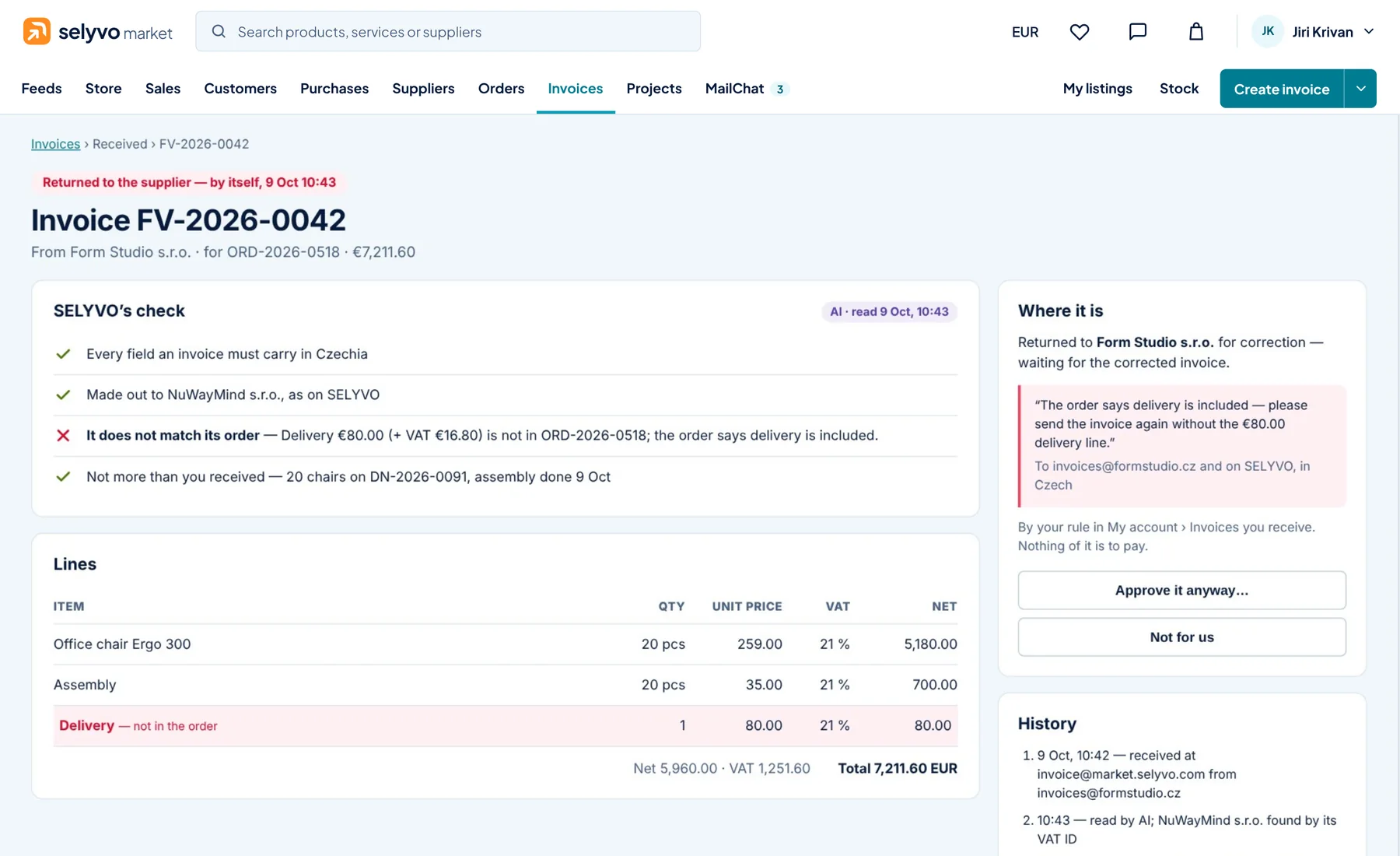
The supplier invoices from the order. Before anyone looks at it, SELYVO checks every field the law asks for, your details, and each line against the order and what you received.
Good to know If you choose, one that fails goes back to its supplier by itself, with what to correct.
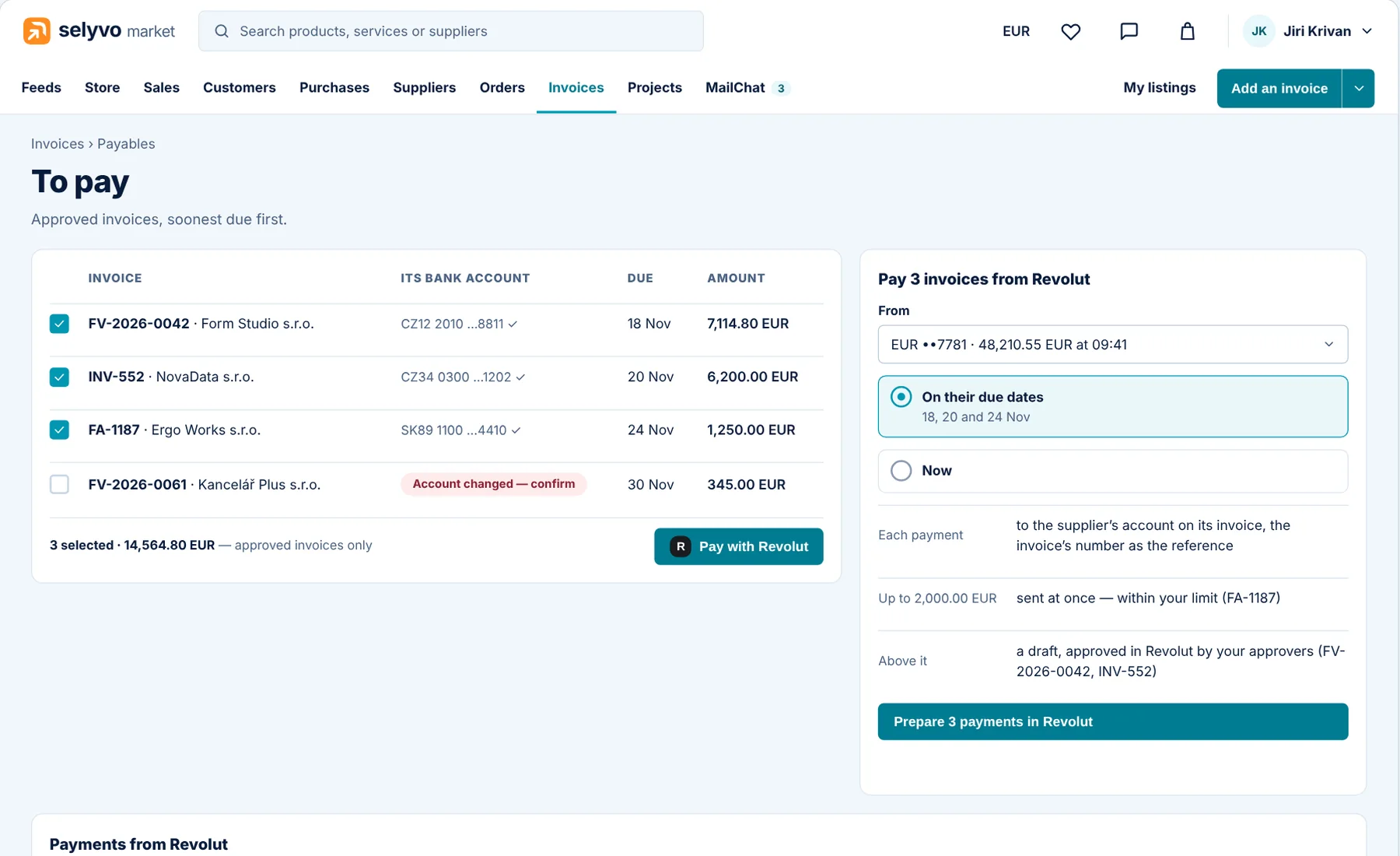
Pay approved invoices straight from your own Revolut Business account, on their due dates or now. When the money arrives, both sides see the invoice paid.
Good to know Within the limit you set, payments go at once; above it, they wait for your approvers in Revolut.
Verified businesses only
SELYVO opens by invitation. Each business is found in its register, its VAT number and the sanctions lists are checked, and it answers SELYVO’s questions before its first deal.
The details members notice on their first day — and are glad of every day after.
Every tab follows what you do — buy, sell, accounting, projects — as you choose in your Preferences.
The button at the right always says what it creates; its arrow offers the rest.
Home is yours: your role, in your style — daily work, performance or planning.
AI shows its cost before it runs, and nothing is sent, agreed or booked until a person says so.
Each supplier decides how it is paid: up front by card, or by invoice after delivery.
Every invoice carries VAT by country, the wording the law asks for, its PDF and its ISDOC file.
Your business gets its own SELYVO e-mail address: an order or an invoice in an e-mail is read by AI and offered as one.
On the way: the AI negotiator, transport and warehousing, analytics, documents and signing.
Video
The five-minute tour of the whole market, and short films of one task each — made on its real screens.
Tour · 5:51
Every part of SELYVO Market on its own screens: selling and buying, orders, invoices checked at SELYVO, expenses, projects, MailChat, stock and connected systems.
Businesses and freelancers invited by a member. Ask a customer or supplier who is on SELYVO to invite you. If you do not know anyone on SELYVO yet, write to us.
Each company is found in its business register, checked against sanctions lists and qualified with SELYVO’s questions before it can trade. Customers’ reviews follow its orders.
SELYVO’s fees are paid from a prepaid budget as they fall due. You add funds by card or bank transfer and see every charge in your account.
Yes. Connect your accounting or ERP in Connected systems and choose what it carries. Invoices made in your own accounting can be sent through SELYVO from a file, and every invoice e-mail carries its PDF and its ISDOC file.
SELYVO works in the browser on a computer, a tablet or a phone. Every screen adapts to a phone.
Every company on SELYVO is known to at least one other. Ask a customer or a supplier who is a member to invite you — or write to us.
Contact
Write to us about SELYVO Market, SELYVO Core or a partnership. We reply by e-mail.